
Description
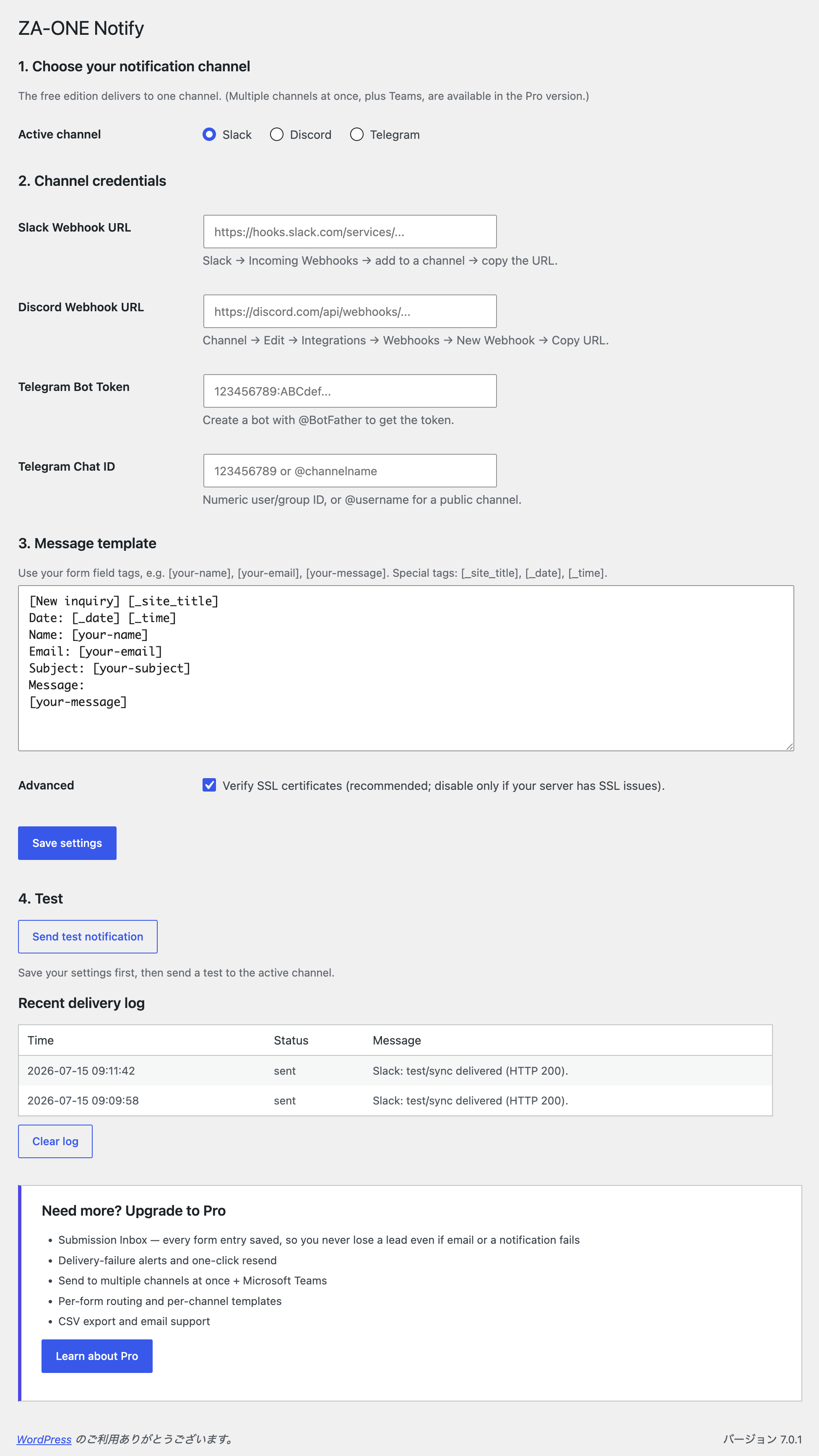
Stop missing leads from your contact form. Email notifications get buried, filtered as spam, or noticed hours too late. ZA-ONE Notify pushes every Contact Form 7 submission straight to the chat tool your team already watches — Telegram, Slack, or Discord — the instant it arrives.
- Real-time — notifications are delivered in well under a second.
- No impact on your form — sending runs asynchronously, so visitors never wait.
- Reliable — if the first attempt fails, the plugin automatically retries in the background.
- No code — paste a Webhook URL (or a bot token), pick your template, done.
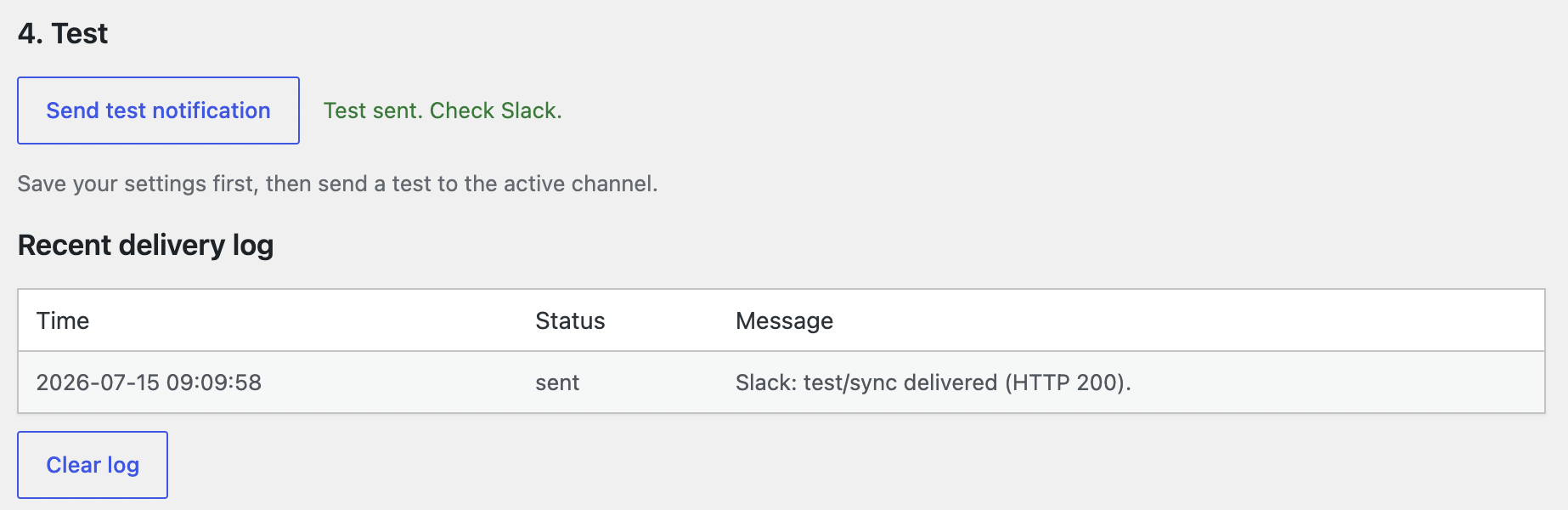
- Readable errors + test button — a built-in test send tells you exactly what’s wrong if a channel isn’t configured correctly.
The free edition delivers to one channel of your choice. That’s all most small sites need.
Customizable message template
Build your own notification text using your form’s field tags, for example [your-name], [your-email], [your-message], plus special tags [_site_title], [_date], and [_time].
Want more?
The Pro version adds the safety net that businesses need:
- Submission Inbox — every entry is saved to your site, so you never lose a lead even if email and a notification fail.
- Delivery-failure alerts with one-click resend.
- Multiple channels at once, plus Microsoft Teams.
- Per-form routing and per-channel templates, CSV export, and email support.
External services
This plugin sends your form submission data to the third-party messaging service you choose and configure. Nothing is sent until you enter that service’s Webhook URL or bot token and select it as the active channel. The plugin contacts only the service you configure — it does not phone home or send data anywhere else.
- Slack — submission content is sent to the Slack Incoming Webhook URL you provide. See the Slack Privacy Policy.
- Discord — submission content is sent to the Discord Webhook URL you provide. See the Discord Privacy Policy.
- Telegram — submission content is sent to the Telegram Bot API (
api.telegram.org) using the bot token and chat ID you provide. See the Telegram Privacy Policy.
Screenshots

Installation
- Make sure Contact Form 7 is installed and active.
- Install ZA-ONE Notify from Plugins Add New, or upload the ZIP.
- Activate the plugin.
- Go to Settings ZA-ONE Notify.
- Choose a channel, paste its Webhook URL (or Telegram bot token + chat ID), edit the template, and Save.
- Click Send test notification to confirm it works.
FAQ
-
Which channels are supported in the free version?
-
Slack, Discord, and Telegram. You can configure all three and switch the active one anytime, but the free edition delivers to one channel at a time. Sending to several channels at once — plus Microsoft Teams — is available in the Pro version.
-
Do I need to write any code?
-
No. For Slack and Discord you paste an Incoming Webhook URL. For Telegram you create a bot with @BotFather and enter the token and chat ID.
-
Will it slow down my contact form?
-
No. Delivery happens asynchronously after the form is submitted, so your visitors never wait for it.
-
What happens if delivery fails?
-
The plugin automatically retries in the background (up to two times with a short delay). The recent delivery log on the settings page shows what happened. Saved submissions, failure alerts, and one-click resend are available in the Pro version.
-
Does it work with the latest Contact Form 7?
-
Yes. It hooks into the standard
wpcf7_submitevent and works with any standard CF7 form.
Reviews
There are no reviews for this plugin.
Contributors & Developers
“ZA-ONE Notify for Contact Form 7” is open source software. The following people have contributed to this plugin.
Contributors
Translate “ZA-ONE Notify for Contact Form 7” into your language.
Interested in development?
Browse the code, check out the SVN repository, or subscribe to the development log by RSS.
Changelog
1.0.0
- Initial release: real-time Contact Form 7 notifications to Telegram, Slack, or Discord, with asynchronous delivery, automatic retry, a customizable template, and a built-in test button.