

Description
For site owners, agencies and organizations that want useful analytics without sending their visitors to someone else. LUMN counts visits inside your own WordPress site. There is no outside service and no data sent anywhere.
- No cookies. A per-tab session id lives in session storage and is gone when the tab closes.
- No stored IP addresses. Daily visitor counts use a one-way hash with a salt that is replaced every day and the old one deleted.
- Paths are cleaned before storage: query strings removed except campaign tags, emails and long numbers masked, and your own redaction rules applied.
- Do Not Track and Global Privacy Control are honored.
- Consent mode works with any consent plugin that supports the WP Consent API.
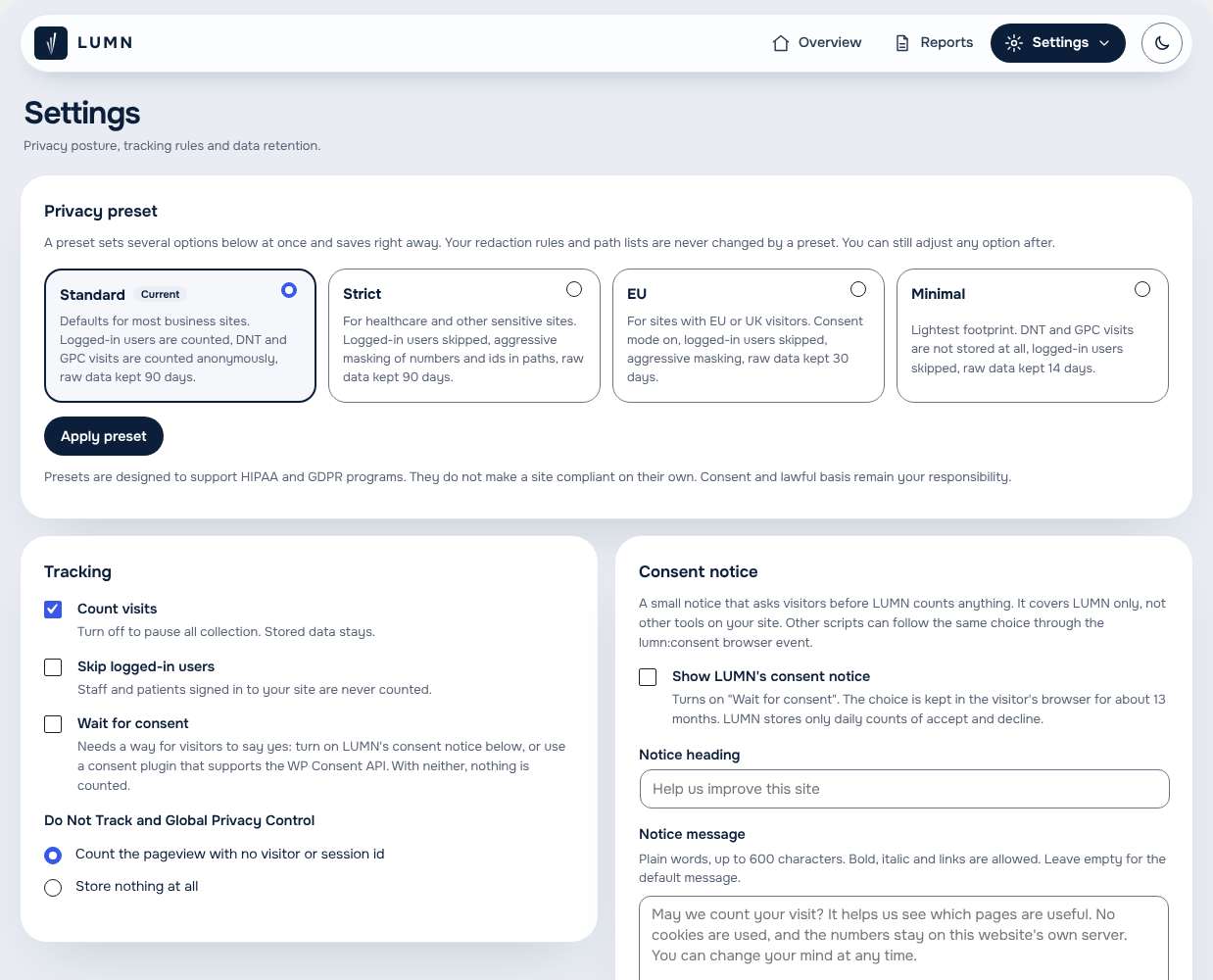
- Four privacy presets: Standard, Strict, EU, Minimal.
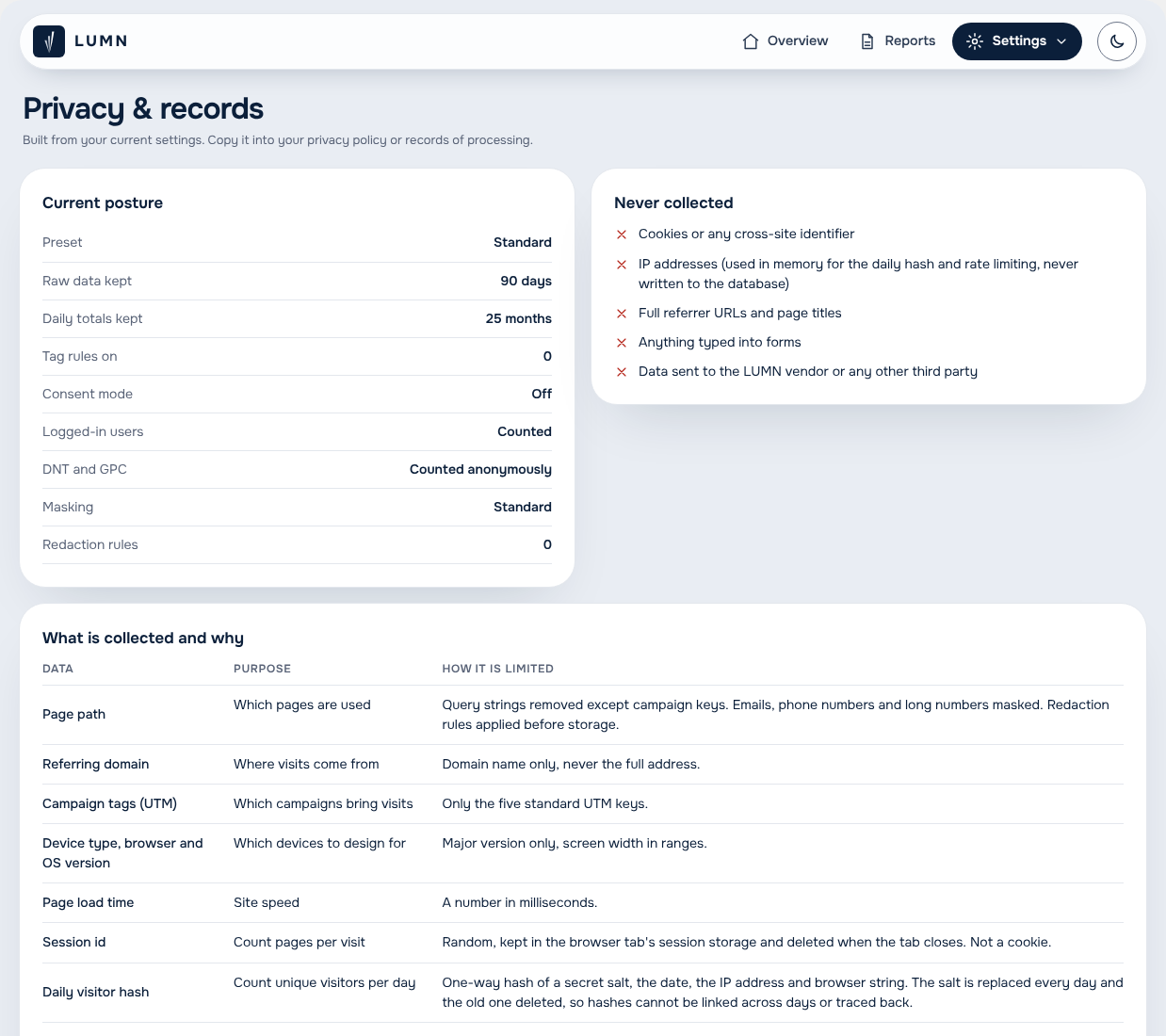
- A records page, generated from your settings, ready for your privacy policy.
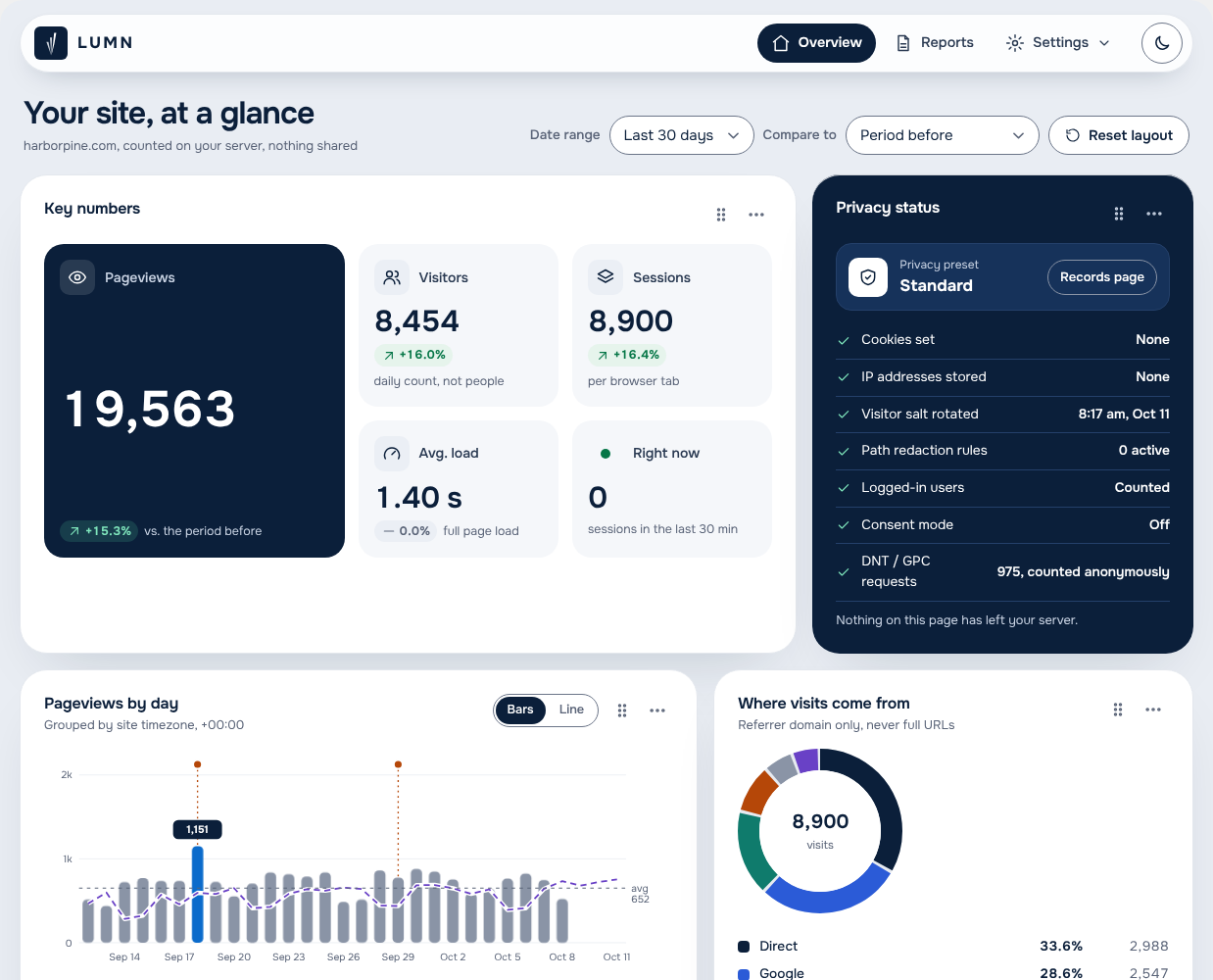
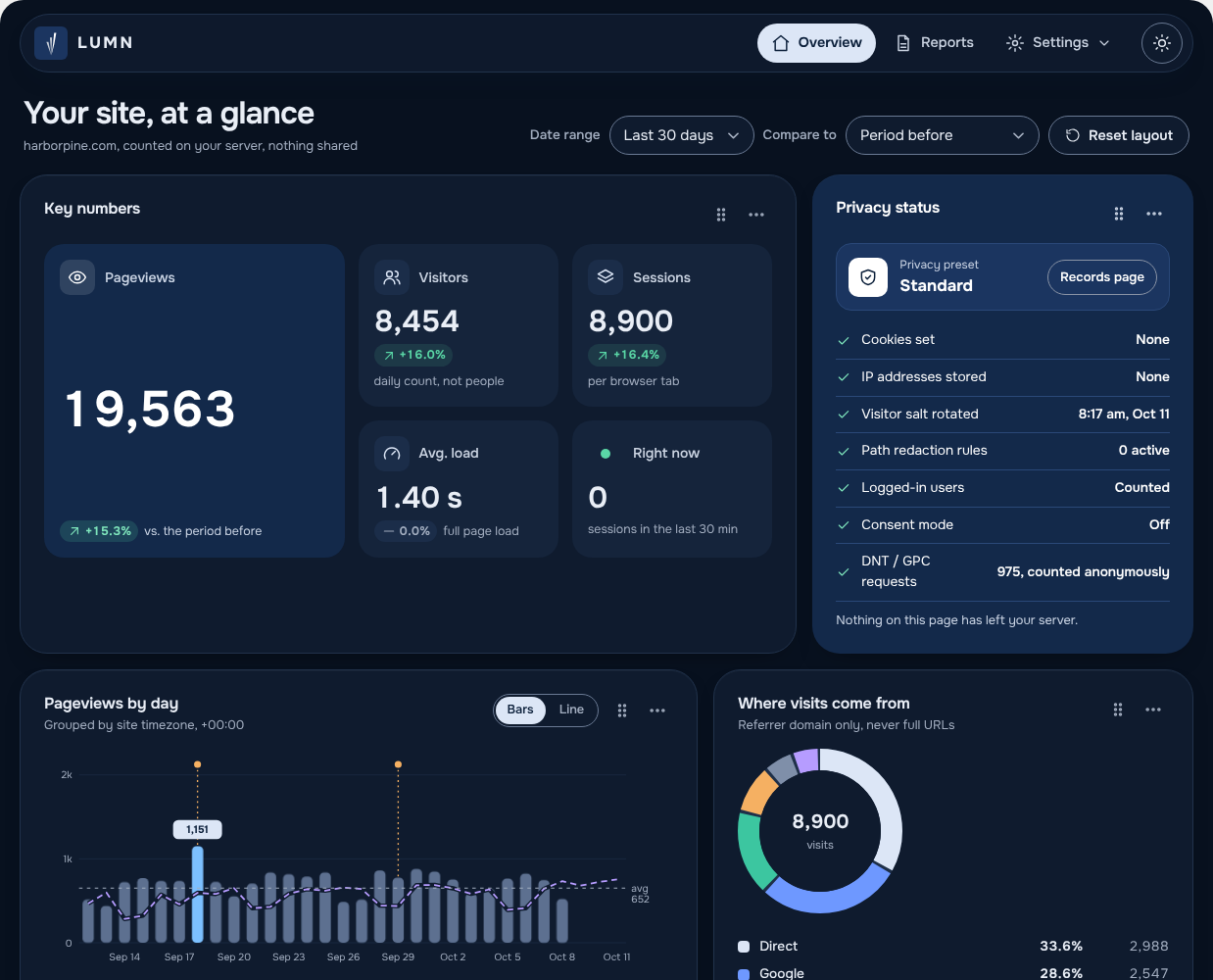
- A dashboard you can arrange: drag panels, move them by keyboard or menu, resize, reset. Light and dark themes.
- A built-in consent notice, if you want to ask visitors first. Accept and decline look the same.
- Admin screens designed for WCAG 2.2 AA, and tested with automated checks and the keyboard in light and dark themes.
LUMN is built for sites that care about GDPR and HIPAA: no cookies, no stored IP addresses, and no third party receiving your visitors’ data. No plugin makes a site compliant by itself, and nothing here is legal advice. Your privacy policy, your other plugins and how you run your site still matter.
Video tutorials for every screen: https://youtube.com/@envsn.studios
Free and Pro
LUMN (free) includes the dashboard (key numbers, pageviews by day, sources, top pages, content, devices, live view and events), tag rules for clicks, scrolling, time on page and sections seen, the privacy presets and records page, chart notes, post stats in the editor, CSV downloads, one-click demo data and a built-in consent notice.
LUMN Analytics Pro adds LUMN cards on the WordPress Dashboard, journeys and funnels, campaigns, site speed, broken links, JavaScript errors and form analytics, location, WooCommerce revenue, survey capture, visitor labels, Site health (the site-quality scanner with saved scan records, and page accessibility checks with markers on the page, quick fixes, saved page copies and developer exports), PDF and Excel reports, emailed reports and alerts, an audit log and Google Analytics import. Agency tools (client share links, a rollup of all your sites, and white-label branding) come with LUMN Analytics Pro on the Agency plan.
Moving from free to Pro keeps all your data. Turning on Pro turns the free plugin off.
See plans and prices at https://envsnstudios.com/lumn/
Privacy
LUMN stores, in your site’s database only: the page path (cleaned), the referring domain, UTM campaign tags, device type, major browser and OS version, a screen width range, page load time, a random per-tab session id and a daily visitor hash. It never stores IP addresses, cookies, page titles, full referrer URLs or form values. Nothing is sent to the plugin author or any third party.
Third-party code
- htmx 4.0.0 (BSD Zero Clause License), for the admin screens.
- Onest font (SIL Open Font License 1.1), for the admin screens.
Screenshots
FAQ
Is LUMN really free?
Yes. LUMN on WordPress.org has no time limit and no locked features. Pro and Agency are separate plugins that add more tools.
Where is my data stored?
In your own WordPress database. Nothing is sent to the plugin author or anyone else.
No. LUMN sets no cookies. It uses a random id in session storage that is gone when the tab closes, and a daily visitor code that cannot be turned back into a person.
LUMN sets no cookies and stores no IP addresses, so many sites can run it without a banner. Laws differ by place. If you need to ask first, LUMN has a built-in consent notice and works with consent plugins that support the WP Consent API.
Is LUMN GDPR or HIPAA compliant?
No plugin can make a site compliant by itself, and this is not legal advice. LUMN is built to support privacy-minded sites: no cookies, no stored IP addresses, and no outside service receiving visitor data. The Strict preset (for healthcare and other sensitive sites) and the EU preset (for GDPR) set everything to match. Ask your legal advisor what your site needs.
Does LUMN warn me before I loosen a privacy setting?
Yes. When a setting no longer matches your privacy preset, LUMN lists it and marks it “Less private”. Riskier features stay locked in the Strict and EU presets until you confirm you understand the risk. Apply the preset again to reset everything.
Will it slow down my site?
The tracker is about 2.5 KB gzipped and loads after your page. Reports are summed up once a day, so the admin stays fast on busy sites.
Are there video tutorials?
Yes, for every screen: https://youtube.com/@envsn.studios
Reviews
There are no reviews for this plugin.
Contributors & Developers
“LUMN Analytics” is open source software. The following people have contributed to this plugin.
Contributors
Translate “LUMN Analytics” into your language.
Interested in development?
Browse the code, check out the SVN repository, or subscribe to the development log by RSS.
Changelog
1.0.0
- First public release on WordPress.org.
- Cookieless, self-hosted analytics: pageviews, visitors, sessions, referrers, pages and devices, counted on your own server.
- Privacy presets, an optional consent notice and a privacy records page ready to copy into your policy.
- Tags that count link clicks and file downloads without adding scripts.
- CSV downloads, light and dark mode, and admin screens designed for WCAG 2.2 AA.
0.12.7
- Wording only: mentions of the paid edition now use its full name, LUMN Analytics Pro.
0.12.6
- Hover anywhere on the Pageviews by day chart to see that day: pageviews, the period before with the change, and any note. With the keyboard, focus the chart and use the arrow keys.
- Making the chart panel wider or narrower no longer flashes.
0.12.5
- The traffic chart no longer flashes when you make its panel wider.
- Overview numbers say “No earlier data” when there is not a full period before to compare with, instead of showing nothing or a misleading percentage.
0.12.4
- Every admin screen now escapes its output when printed, using WordPress’s own filter. No change in what you see.
- The no-JavaScript pageview counter now replies with an empty response instead of an image.
- The LUMN menu now sits with your other plugins instead of near the top.
- Tags and reports show only what the free plugin does. No more Pro labels on locked options.
0.12.3
- A “Support LUMN” link on the Plugins page, and one small donation note on the Overview after two weeks of use. Close it once and it is gone for good.
0.12.2
- Database queries now pass table and column names through WordPress’s safe placeholders. No change in what you see.
0.12.1
- The free plugin is now named LUMN Analytics, ready for WordPress.org.
- Tags: the free plugin lists only the options it includes, with one short note about what Pro adds.
0.12.0
- Small fixes and polish.
0.11.4
- A Save bar now floats at the bottom of the screen when you change Settings, Tags, Scan settings, Email reports, Alerts or Branding, so you do not have to scroll down to save. It shows only while the form’s own Save button is out of view, and has Undo changes to put the form back.
- Leaving a page with unsaved changes now asks first.
0.11.3
- Privacy preset: when a setting no longer matches your preset, Settings now lists each one by name, shows your value next to the preset’s, and marks it “Less private” or “More private”. The warning turns orange when any change is less private.
- The Privacy status panel and the records page say how many settings changed and how many are less private, instead of just “(changed)”.
0.11.2
- Free: the Events panel now shows on the Overview, as promised. It was left out of the Free layout by mistake.
0.11.1
- The Privacy panel on the dashboard no longer draws a border.
0.11.0
- LUMN now needs WordPress 6.9 or newer and PHP 8.1 or newer. Sites below that keep the version they have; WordPress does not offer them this update.
- Removed code that only older WordPress and PHP versions needed.
0.10.1
- The top menu now sits at the right of the LUMN bar.
- Removed code that nothing used any more, including the scanner’s old list of pages without a main heading.
- The readme now lists the third-party code LUMN ships and explains what accessibility checks store.
0.10.0
- Simpler navigation: Overview, Insights (Journeys, Reports), Site health (Site quality, Accessibility) and Settings (Settings, Tags, Privacy and records, Agency). Each group opens a short menu; every page keeps its own address.
- Site quality: each finished scan is now a record. Open one to see the problems it found. The newest scan holds the current list, where you can still ignore problems. Delete any scan, or delete all scans to start over as if the site was never scanned. Up to 20 scans are kept.
- Accessibility: every check is kept, up to 10 per page. View a saved check to see a copy of the page as it was then, with each problem marked where it was, even after the page changes. Copies are stored privately, without scripts, and served only to people who can view LUMN.
- Journeys: delete one journey, or every journey in a date range. Daily totals and charts do not change.
- Reports: delete the email report schedule or the alert rules, including their recipients and send history.
- Every delete asks first and is recorded in the audit log.
0.9.4
- Accessibility: places the automated check cannot decide, like text on a background image, gradient or ::before layer, now have their own “Check by hand” group (diamond marker). It is hidden by default and never counted as an error or alert.
- Check-by-hand results no longer use failure wording. Each one says why a person needs to look, in plain words, and how to check it. The reason is also in the Markdown, web page and spreadsheet exports.
- Recent checks and the dashboard tile show the check-by-hand count on its own.
0.9.3
- Accessibility (Pro): check any page on your site in a live preview. Errors, alerts and passes show as markers on the page (octagon, triangle, circle, each with a number) and in a list you can use by keyboard. Each result explains what is wrong in plain words, who it affects, and the WCAG 2.2 rule and level, with the page code and suggested code to copy.
- Quick fixes (Pro): while the real fix is made, LUMN can add alt text, names for links and buttons, field labels, the page language, a skip link, a visible focus outline or a hidden main heading as pages load. You always write the words; LUMN never guesses. Fixes can be removed or paused at any time and are recorded in the audit log.
- Export one check for a developer as Markdown, a web page or a spreadsheet. A new Accessibility tile on the dashboard shows the pages with the most problems.
- Checks run in your browser with axe-core (MPL-2.0) on a logged-out view of the page. Results stay on your server.
- Site quality: the older “alt text from image title” setting can no longer be turned on, because it guessed. Sites that use it can turn it off from the Accessibility page. The hidden main heading setting moved to Accessibility as one quick fix per page.
0.9.2
- Consent notice: LUMN can ask visitors itself before counting anything. Set your own heading, message, privacy policy link, up to 3 more document links, button labels and position. Accept and decline look the same. The choice stays in the visitor’s browser; LUMN keeps only daily counts of yes and no, shown on the Privacy and records page. Add [lumn_privacy_choices] or a link to #lumn-consent so visitors can change their mind.
- Other scripts can follow the same choice with the lumn:consent browser event, and any consent tool can call window.lumn.consent(true or false).
- Consent mode is now enforced on the server too: hits without consent are dropped. The snippet for other sites waits for consent as well.
- Fixed: switching from the Strict or EU preset no longer turns visitor labels back on by itself.
- The audit log now keeps six years. Looking up a visitor label and unlocking labels are now recorded.
- The privacy policy text and records page now describe emailed alerts and share links accurately.
- Uninstall with “delete data” also removes LUMN’s user and order meta.
0.9.1
- Demo data: Settings > Demo data fills LUMN with two months of sample visits so you or a client can see every report full. Real visits keep being counted and are kept apart. One click removes only the sample rows.
- A notice on every LUMN page while demo data is on.
0.9.0
- Two editions: LUMN Analytics (free) and LUMN Analytics Pro, built from one code base. Moving from free to Pro keeps all data, and Pro turns the free plugin off.
- Client share links (Pro): a read-only report page for a client, with the sections you choose, an expiry date, and a switch to turn it off at once. Never cached, never indexed.
- All your sites in one place (Pro): paste share links from other LUMN sites to see their totals side by side, refreshed hourly. On a multisite network, a page with every site’s totals.
- White-label branding (Pro): your name, color and logo on reports, emails and share pages, with the LUMN credit hidden if you like.
- Location maps (Pro): a world map shaded by country, and state or province maps for 15 countries (United States, Canada, Mexico, Brazil, Germany, France, Spain, Italy, the Netherlands, Australia, New Zealand, India, Japan, South Africa and Nigeria). Pick a country to see its regions; other countries list their regions.
- The privacy page now says “On” when visitor labels are in use.
- No more early-translation notice on WordPress 6.7 and newer.
0.7.0
- Audit log: every change to LUMN settings with who, when, and the values before and after. Secrets are never shown. Kept two years, with CSV download.
- Visitor labels (off by default): keep a study code from a participant’s link with their visit. Strict format only, removed from the address bar before other scripts can read it, visible only to people who manage LUMN, removed sooner than other data, locked in the Strict and EU presets. Lookup, export and erase tools, plus WordPress’s own privacy export and erase.
- Survey capture: count the answers people choose in chosen forms, as question and answer text from the page. Typed text is never read. Number fields count in ranges, with 90+ as the top range.
- Location: country, or country and state, worked out on your server with the free DB-IP database (downloaded monthly). IP addresses are never stored and the city is never read. US state map with a table.
- Store revenue for WooCommerce: orders and totals by source and campaign. The amount always comes from the store through a one-time token; order numbers never reach page paths.
- Import Google Analytics history: daily pageviews, users and sessions from before LUMN, from a CSV export, with one-click removal.
- New panels and Dashboard cards for location, revenue and survey answers. Downloads include them too.
0.6.0
- Site quality: a scanner that checks every published page for search, accessibility, privacy, content and broken-link problems, the way a logged-out visitor sees it. Runs weekly in small background steps, or on demand.
- Fix queue: problems ranked by page views, with open, ignored and fixed states that hold across scans, a how-to-fix line for each, and CSV download.
- Your rules: list outside sites that must never load and phrases that must never appear.
- Optional link checks for other websites (off by default, each link asked at most once a week).
- Quick accessibility fixes (off by default): fill empty image alt text from a good media title, and add a hidden main heading where a page has none. The scanner keeps listing both until fixed at the source.
- Alert email when a scan finds a script from a new outside site.
- Editor panel shows a post’s open site-quality problems.
- WordPress Dashboard cards: pick LUMN cards in Settings to show on the first screen after login. Only people who can view LUMN see them.
0.5.1
- Updates now come from the shared ENVSN Studios repository (envsnstudios/envsnstudios). LUMN only reads releases tagged lumn-v (for example lumn-v0.5.1), so other plugins in the same repository never get mixed up with it.
0.5.0
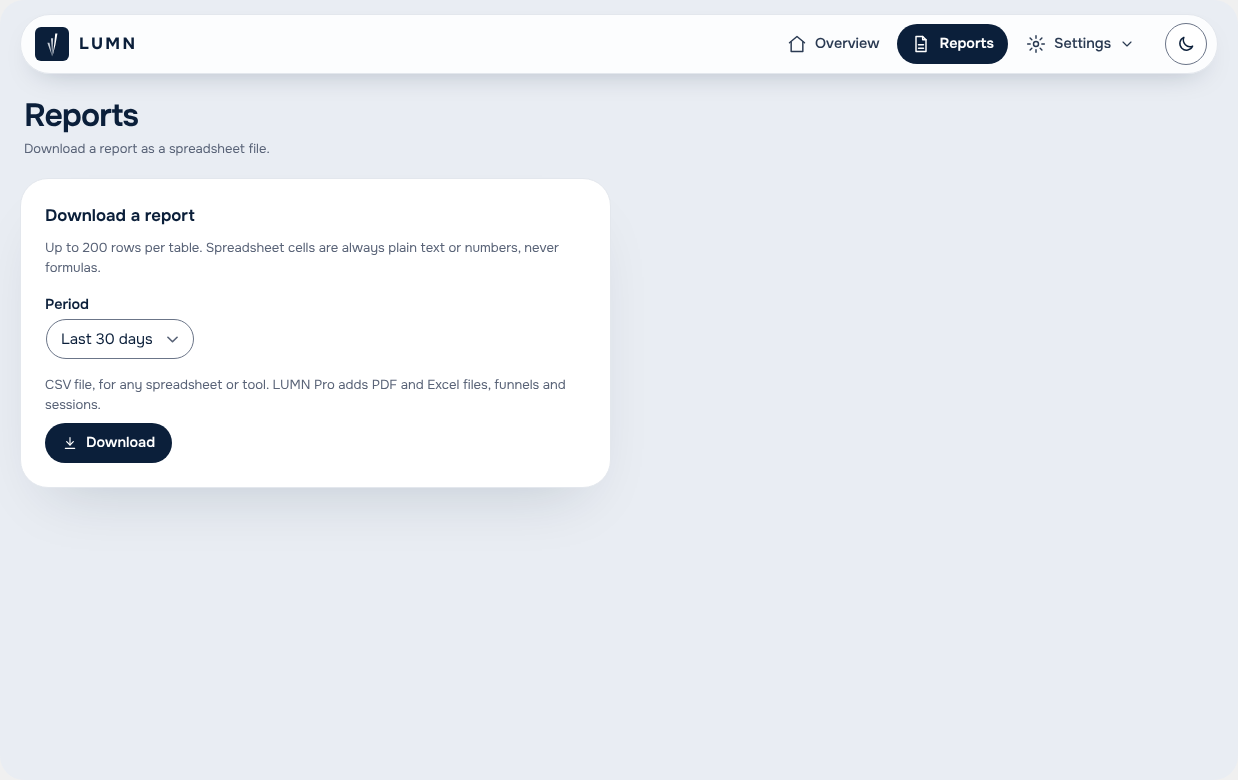
- Reports page: download a report as PDF, Excel or CSV. Spreadsheet cells are always plain text or numbers, never formulas.
- Email reports on a schedule (weekly up to yearly), with a “Send a test now” button. Emailed reports hold totals only.
- Alerts: email when traffic jumps or drops against the week before, or when visits to missing pages spike.
- Check for updates: LUMN can now update from its GitHub releases, with a “Check for updates” link on the Plugins screen and WordPress’s auto-update switch. Only the zip for the exact release version, from the plugin’s own repository, is accepted.
- Plugin author is now ENVSN Studios & Niek Design Group.
0.4.0
- Site speed: Core Web Vitals (loading, responsiveness, visual stability) from real visits, with Good / Needs work / Poor ratings and the slowest pages. Numbers only, no visitor or session code.
- Broken links: visits to missing pages, with the site that linked there. Missing pages no longer count as page views.
- JavaScript errors (off by default): grouped by message, file and line. Anything after a quote mark is removed and personal details are masked before storage.
- Form analytics (off by default): starts, sends, completion rate and the field people most often leave at. Never what was typed.
- The tracker is now split: a 4 KB core, plus an add-on that loads only when tag rules or these measurements are on.
- Sites upgrading from 0.3 keep speed and broken-link tracking off until turned on in Settings.
0.3.0
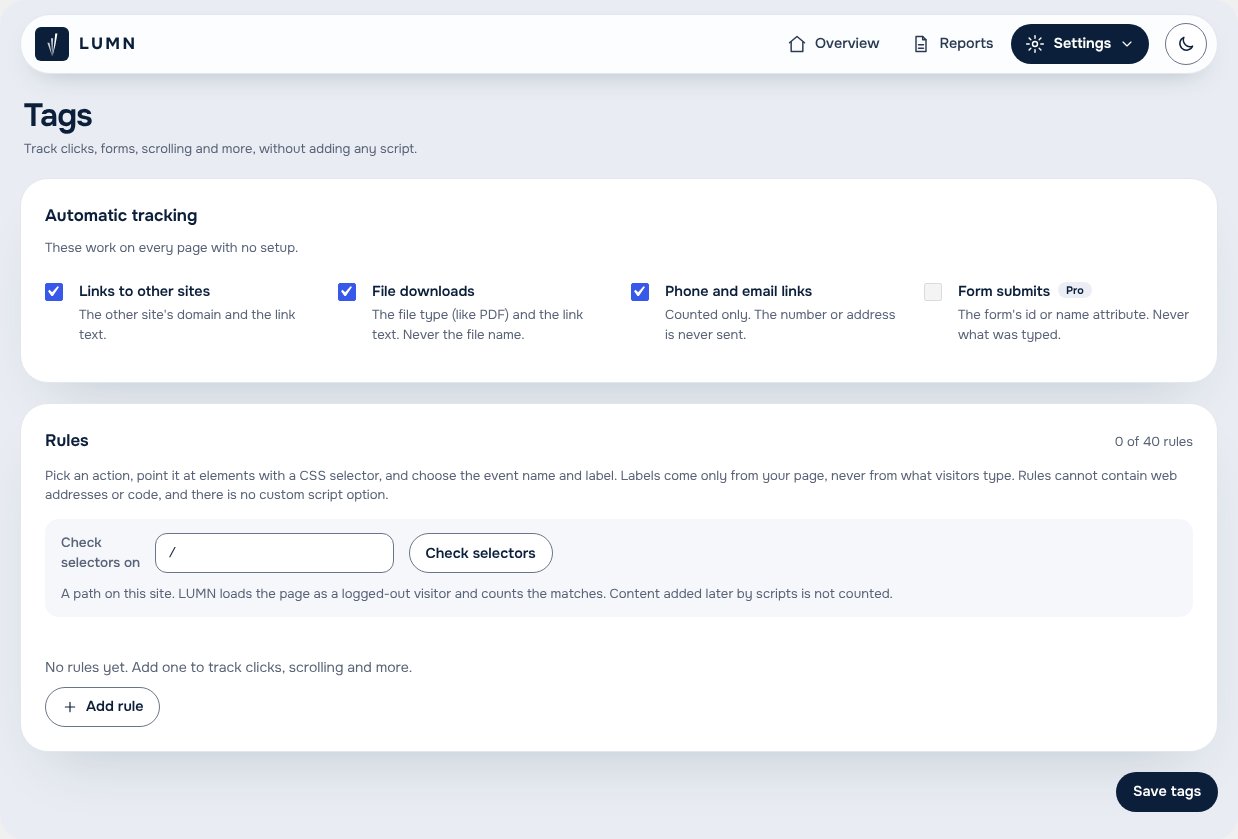
- Tags: a first-party tag manager. Automatic switches for links to other sites, file downloads, phone and email links (counted only) and form submits. Rules for click, hover, form start, form submit, element seen, scroll depth, time on page and video play, with event names and labels from the page (visible text, attributes, field labels or the nearest heading). Labels never come from what visitors type. Rules cannot contain web addresses or code.
- “Check selectors” counts matches on any page of your site before you save.
- New Events and Campaigns panels on the overview.
- Journeys: sessions list with entry-page filter and the steps of each visit, plus funnels.
- Daily totals: finished days are rolled into daily counts, so reports stay fast and trends outlive the raw data window. Event labels still follow the raw retention setting.
0.2.0
- Compare to: the period before, the same days last year, or no comparison. Shown as a dashed line on the chart, a column in the table, and in the key numbers.
- Chart notes: pin a short dated note (launch, campaign, site change) to the chart. Authors can delete their own notes; LUMN managers can delete any.
- Post stats in the editor: views, visitors, change and top sources for the last 30 days, in the block editor sidebar and the classic editor. Optional setting to show them to writers.
0.1.1
- LUMN icon redrawn as SVG from the brand concept, used in the WordPress menu and the dashboard top bar.
0.1.0
- First build: tracker, collector, privacy layer, presets, consent mode, records page, dashboard.